Turn your LinkedIn profile into a resume, free
Upload your LinkedIn PDF and get a finished CV in a minute. No sign-up, no paywall, and the file never leaves your browser.
- Free, including the download
- No account
- Everything runs in your browser
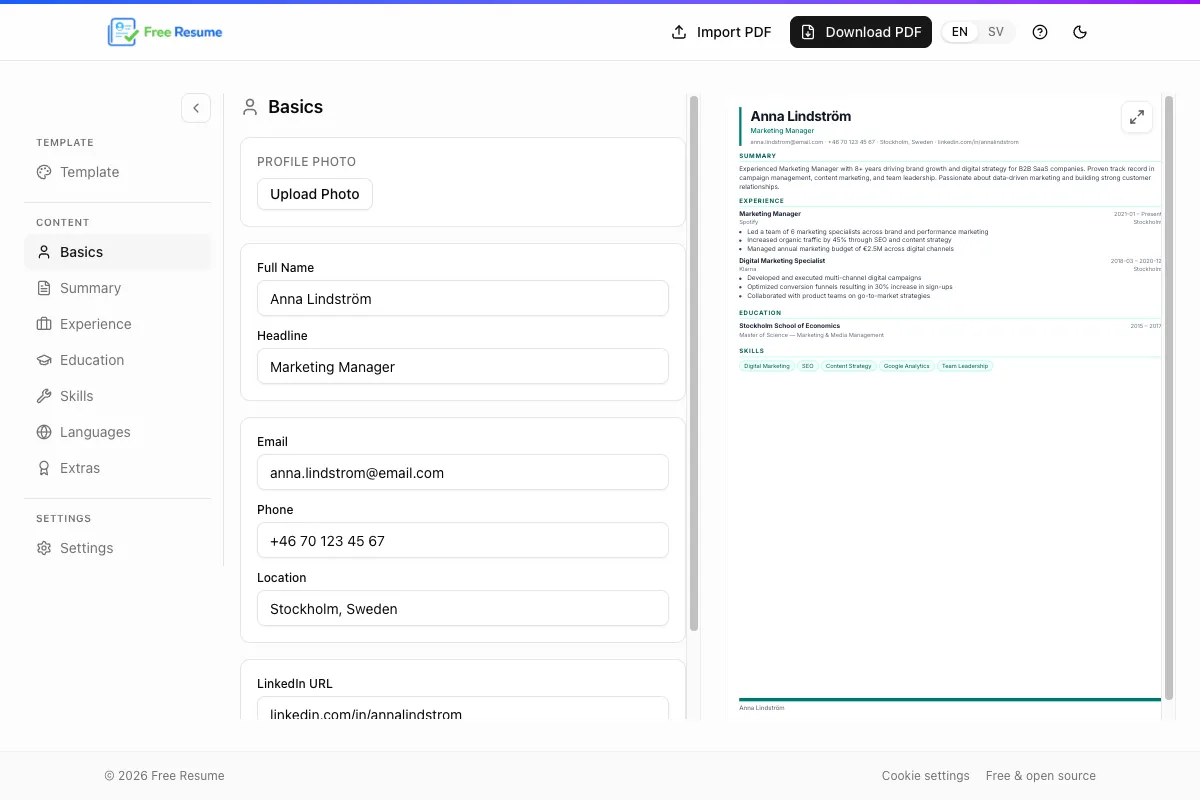
How it works, three steps
- 1
Save your LinkedIn profile as a PDF
Open your profile in a desktop browser, click Resources (or More) below your name and choose Save to PDF.
Step by step guide with pictures - 2
Upload the PDF
Drop the file into Free Resume. Jobs, education, skills and languages fill in automatically.
- 3
Download your CV
Pick a template, adjust the text if you want and download a PDF with searchable text.
Genuinely free, and nothing leaves your browser
Many CV tools are free right up until the download. Here there is no paywall and no account to sign in to.
Free all the way
No payment at download, no watermarks and no premium plans.
No account
You need no email, no password and no LinkedIn login to get started.
Your PDF stays with you
The file is read in your browser. It is never sent to a server, and we store no CVs.
Open source
All the code is on GitHub. Review it, report a bug or run the tool locally.
See the code on GitHubWhat LinkedIn's own PDF export leaves out
LinkedIn's PDF is a printout of your profile, not a CV. Free Resume reads the content and rebuilds it into a CV you can send to an employer.
LinkedIn's PDF
- Several pages, often four or more
- LinkedIn's own layout and logo
- Everything is included, even short old jobs
- Looks the same for everyone
- Cannot be edited
Your CV from Free Resume
- One or two pages, your choice
- Clean layout with no logos
- You decide what is shown
- Four templates and your own colors
- Every line can be edited
CV templates that are easy to read
Four templates, all single column with standard headings. Switch template at any time, your content follows.
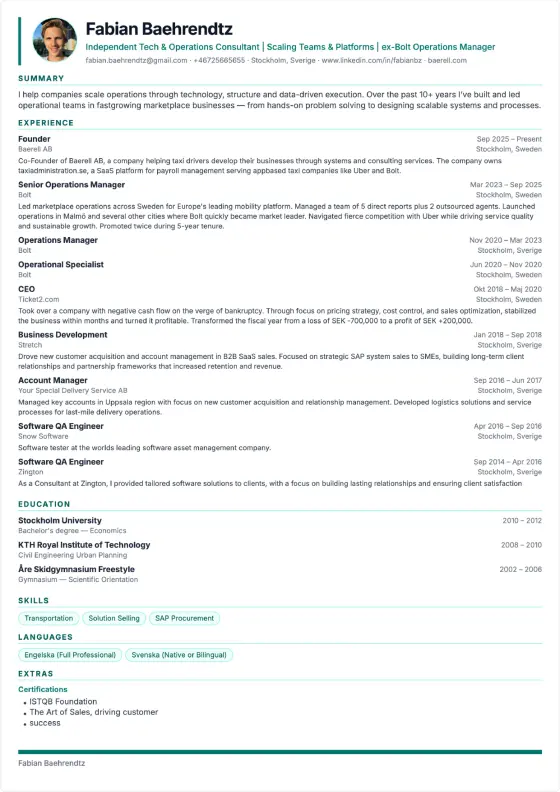
Classic
One column, clean and timeless. Works for most jobs.
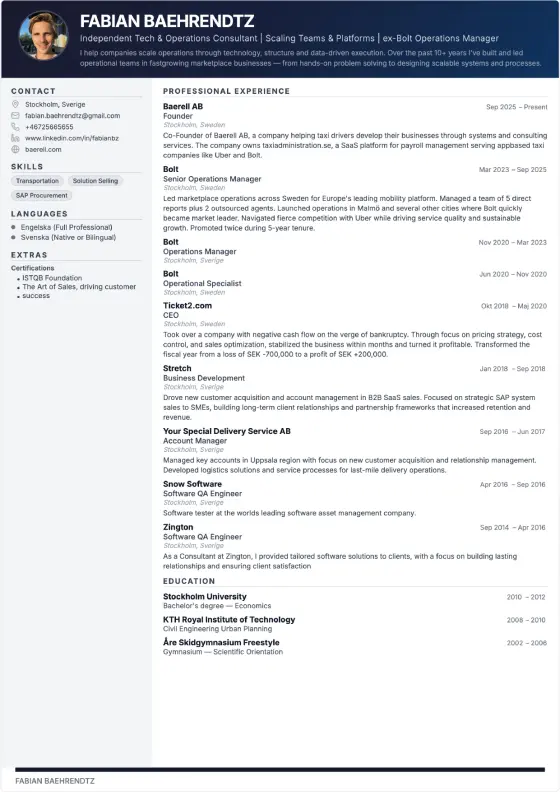
Professional
Dark header and a sidebar for contact details and skills.
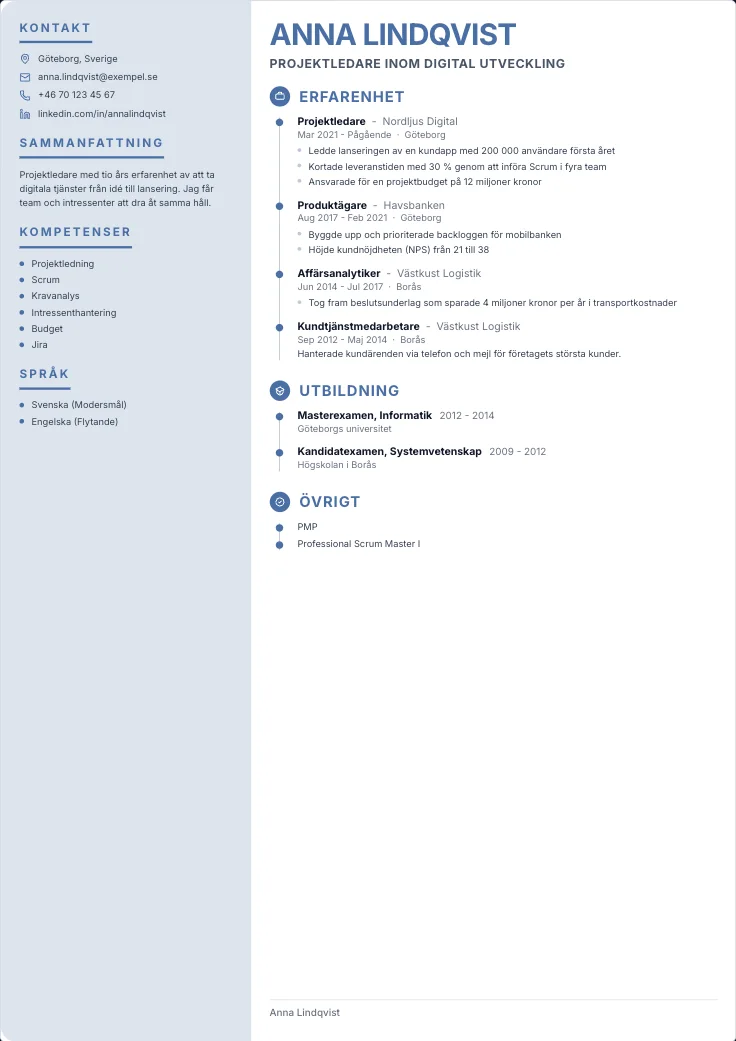
Modern
Sidebar with room for a photo, airy and easy to scan.
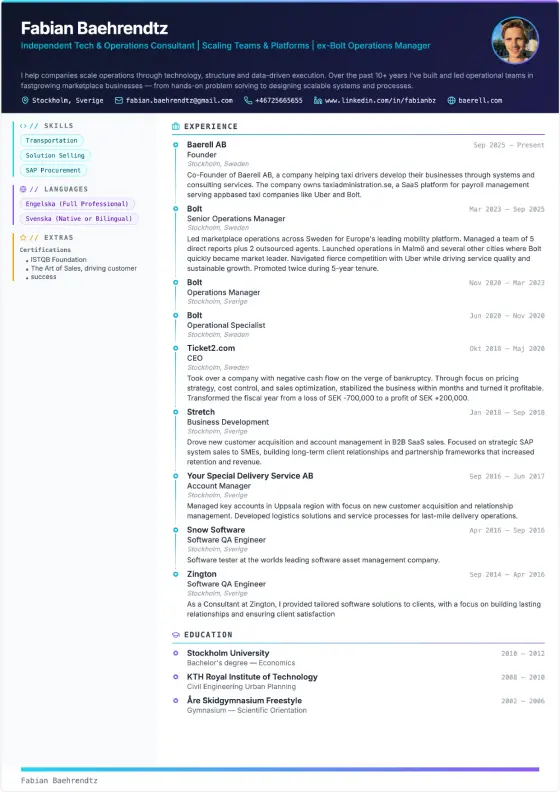
Creative
Colorful with a sidebar, for roles where expression counts.
Your PDF has a searchable text layer
Applicant tracking systems read text, not pictures. Free Resume adds a text layer to the PDF, so the content can be selected, copied and searched. We do not promise that a given system will approve your CV, but the text can be read by a machine.
- One column, which is the easiest layout for systems to read
- Standard headings such as Experience, Education and Skills
- Standard fonts and text you can copy

"Making a CV should be easy. LinkedIn already has all your info, so I built a tool that does the work for you. Your CV is generated right in the browser and no personal data is stored. We only collect anonymous statistics."
Fabian BaehrendtzReady to build your CV?
Upload your LinkedIn PDF and download a finished CV. Free, no account.